
Set Up Your Camera Before You Leave the Cabin
Choose a setup you can use quickly when the ship enters a port or a brief patch of good light appears. Aperture Priority with Auto ISO works for many stationary scenes if you watch the shutter speed; Shutter Priority is useful when a moving subject needs a specific speed. Manual exposure with Auto ISO is another option if your camera supports it and you are comfortable changing settings.
Choose a file format and check the display
JPEG is convenient for sharing without editing. RAW gives you more room to adjust exposure and white balance afterward; RAW plus JPEG provides both versions if your camera supports it and you have enough storage. Turn on a histogram or highlight warning if available. The rear screen can look deceptively bright in direct sun, so inspect a test frame for lost detail in white ship surfaces, pale sand, and sunlit water.
Set Auto ISO to support a usable shutter speed
Start with Auto ISO and a maximum that produces acceptable results on your own camera. If your model allows a minimum shutter speed, set one for the scene before you start shooting. Raising the ISO is often preferable to keeping a low ISO while a moving ship or subject turns the photo blurry. Check the actual shutter speed displayed by the camera; image stabilization does not freeze a person walking or a boat moving across the frame.
Starting Settings for Common Cruise Photos
These are starting points for a camera with manual or priority controls. Available light, lens reach, ship movement, and your subject determine the final setting.
Coastlines and port arrivals from the deck
Try Aperture Priority around f/5.6 to f/8 for a wide scene, with Auto ISO and a shutter speed fast enough to resist the ship's movement. Around 1/250 second is a useful first check with a wide lens; use a faster speed when the ship moves noticeably, the light is poor, or you zoom in. If foreground rails or passengers are close to the lens, select a focus area on the distant subject so the camera does not grab the obstruction.
People against a bright sky or sea
A person standing in shade with bright water behind them may appear too dark. Focus on the face, inspect a test frame, and add positive exposure compensation if the face needs more light. Watch the bright background as you do so; a single exposure may not retain full detail in both the face and sunlit sea. For people who are moving, start near 1/250 second and adjust as needed.
Shore walks, buildings, and beaches
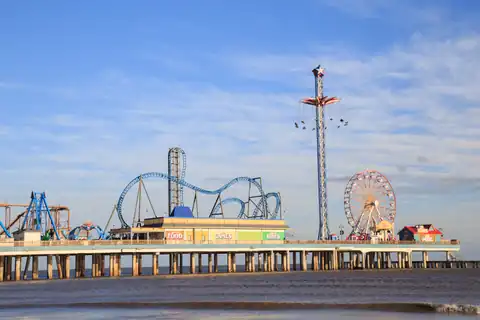
Aperture Priority around f/5.6 to f/8 suits many general port scenes. For a person or detail you want separated from the background, use a wider aperture if your lens allows it. Midday sun can put one side of a scene in deep shade while the other is very bright. Check highlights after moving from a shaded street to an open beach or pier; the setting that worked a minute earlier may no longer fit.
Water activities and other quick movement
For a fast-moving boat, a jumping subject, or an action scene during an excursion, begin around 1/1000 second in Shutter Priority or Manual with Auto ISO, then adjust for the speed of the subject and the available light. Use continuous autofocus and a short burst when the action is unpredictable. If the camera raises ISO too far or the lens cannot admit enough light, lower the shutter speed only as much as the subject permits.
Dining rooms, shows, and evening scenes
Indoors, open the aperture as far as your lens and desired depth of field allow, then use Auto ISO to maintain a suitable shutter speed. A seated person may work at a slower speed than a performer moving across a stage. Check the cruise line's photography rules before a show; if photography is permitted, avoid distracting other guests with a bright screen or flash.
Correct Exposure and Focus While You Shoot
Use exposure compensation after checking the result
With an automatic exposure mode, exposure compensation changes how bright the camera makes the photo. If pale sand or a white ship looks gray, a brighter exposure may help. If highlights in clouds, foam, or white railings lose detail, try a darker exposure. There is no reliable compensation value for every bright Caribbean scene: subject brightness and the camera's metering choice both matter.
Choose focus for the subject, not the background
Use a small or selectable focus area for a stationary ship detail or a person among railings and other passengers. Switch to continuous autofocus for subjects approaching, leaving, or moving across the frame. If tracking locks onto another person or a high-contrast background, reduce the focus area or place it deliberately over your subject. Brand guides explain where these controls appear on different camera systems.
Check white balance when colors look wrong
Auto white balance is a reasonable starting point outdoors. If several photos taken under the same light shift between warm and cool colors, choose a daylight or cloudy setting and review a test frame. Ship interiors can combine daylight with warm artificial lighting, so look at skin tones before changing every photo to the same color setting. RAW files allow more latitude for later correction; underwater color requires a separate approach.
A Quick Check Before the Next Scene
- Check the shutter speed after zooming or moving into shade.
- Inspect bright areas with the histogram or highlight warning.
- Move the focus area back to your intended subject.
- Reset exposure compensation after a backlit portrait or unusually bright scene.
- Check that file format, Auto ISO, and white balance still suit the next location.